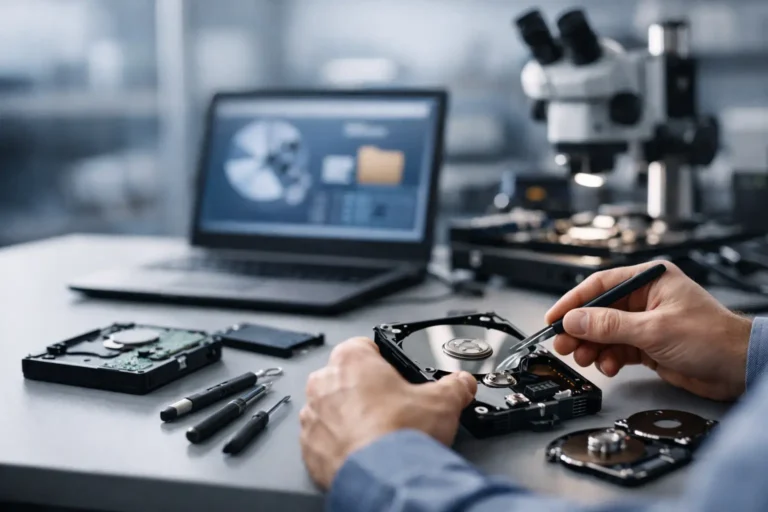
A failed hard drive rarely gives you a convenient warning. One day your family photos open fine, your QuickBooks file is right where you left it, or your office server is running normally. The next day, the system will not boot, the drive clicks, files vanish, or a RAID array shows errors. That is usually the point when advanced data recovery services stop sounding optional and start sounding urgent.
For home users, the loss might mean years of pictures, tax records, schoolwork, or irreplaceable videos. For a business, it can mean payroll delays, client file loss, compliance concerns, and expensive downtime. In both cases, the real question is not just whether the data matters. It is whether the device has crossed the line from a simple fix to a specialized recovery case.
What advanced data recovery services actually mean
Not every recovery job is advanced. Sometimes a file is deleted accidentally, the recycle bin is emptied, or a partition is corrupted but the drive hardware is still healthy. In those cases, software-based recovery may be enough.
Advanced data recovery services come into play when the problem goes deeper. That usually includes physical drive failure, serious file system corruption, damaged controllers, encrypted or failing SSDs, RAID issues, fire or water exposure, or storage devices that are no longer recognized at all. These cases often require more than recovery software. They may call for hardware diagnostics, component-level repair, controlled handling procedures, or image-based recovery methods designed to preserve what is left of the device.
That distinction matters because the wrong first step can make the situation worse. A failing drive that keeps spinning under repeated restart attempts can degrade further. An SSD that is unstable may become less recoverable if it stays powered too long. A RAID array that is rebuilt incorrectly can overwrite the very data you are trying to save.
Signs your data loss case is beyond DIY
There are times when trying your own recovery steps makes sense, and there are times when stopping immediately is the better decision. If the device is making clicking, grinding, or beeping noises, that is a strong sign of physical failure. If your computer freezes whenever the drive is connected, that is another warning sign. The same goes for drives that disappear from the BIOS, external devices that connect and disconnect repeatedly, or servers that report multiple disk errors.
For businesses, the threshold for getting expert help is usually even lower. A single missing spreadsheet may be a nuisance. A damaged shared folder, accounting database, or line-of-business application datastore is a different situation. If multiple employees depend on the data, every hour spent experimenting adds cost.
There is also the issue of false confidence. Many people assume that if a drive is detected, software recovery is safe to try. Sometimes that is true. Sometimes the device is only partially readable and every scan stresses it further. The trade-off is simple: a do-it-yourself attempt may save money if the problem is minor, but it can reduce success odds if the hardware is unstable.
How the recovery process usually works
A good recovery process starts with evaluation, not guessing. The first goal is to identify whether the issue is logical, electrical, mechanical, or a mix of problems. From there, a technician can decide on the safest path to the data.
In many advanced cases, the priority is creating a stable sector-by-sector image of the device instead of working directly on the original media. That approach limits unnecessary wear and gives the recovery effort a safer working copy. If hardware issues are involved, the process may include controller troubleshooting, read stabilization, or specialized handling for damaged components.
For business storage, the process can be more complicated. RAID recovery often requires mapping disk order, stripe size, parity structure, and file system integrity before data can be rebuilt correctly. NAS devices and servers add another layer because the hardware issue may not be the only issue. Misconfiguration, failed updates, and multiple degraded disks can all overlap.
That is why experienced evaluation matters so much. Recovery is not just about pulling files off a drive. It is about understanding what failed, protecting the device from further damage, and choosing the method least likely to destroy recoverable data.
Advanced data recovery services for home users
Most consumers do not think about recovery until something goes wrong, and that is understandable. A laptop that will not start feels like a computer problem until you realize what is stored on it. Family photo archives, legal documents, saved passwords, old email files, and personal projects often live in one place without a recent backup.
In those situations, advanced data recovery services can be the bridge between device failure and permanent loss. The right support can help determine whether the data is still present, whether the storage device is physically failing, and whether recovery is realistic before you spend money chasing the wrong fix.
This is especially important for people who rely on one machine for everything. Remote workers, students, and home-based business owners often have a mix of personal and professional data on the same computer. Losing access does not just create stress. It can interrupt income, deadlines, and day-to-day life.
Why businesses should treat recovery differently
For a business, data loss is rarely just about the files themselves. It affects operations. If a shared drive goes down, employees may not be able to work. If accounting data is missing, billing and payroll can stall. If customer records are damaged, trust can be affected along with revenue.
That is why business recovery decisions should be tied to downtime risk, not just replacement cost. A server can be replaced. A workstation can be swapped. The harder part is restoring the exact records, emails, databases, and documents that keep the organization moving.
Advanced recovery is often part of a larger response. The immediate goal is recovering critical data, but the next step is usually figuring out why the failure happened and how to reduce the chance of a repeat event. Sometimes the answer is better backups. Sometimes it is monitoring drive health, replacing aging hardware, or revising how shared data is stored.
For East Valley businesses that do not have a large internal IT team, working with a local provider that understands both recovery and ongoing support can make a real difference. It means the conversation does not stop once the files are returned.
What to expect from a trustworthy provider
When you are under pressure, clear communication matters almost as much as technical skill. A trustworthy provider should explain what is known, what is uncertain, and what the likely next steps are. Recovery is not a service where honest professionals promise every case will succeed. Some devices are too badly damaged, and some data has already been overwritten. The right provider will tell you that upfront.
You should also expect transparency around timing and cost. Some recoveries are straightforward. Others take longer because the device is unstable or the data structure is complex. What matters is not a rushed promise. It is a realistic plan.
For many customers, local access also matters. Being able to speak with real people, ask questions, and hand off a device to someone accountable can reduce a lot of stress. That is one reason companies like Freelance Computers continue to earn trust over time – not just because of technical range, but because people want honest guidance when the stakes are high.
The best thing to do before recovery starts
If you suspect serious drive failure, stop using the device. Do not keep rebooting it to see if it comes back. Do not install recovery software onto the same drive. Do not save new files to it. Every one of those actions can reduce recoverable data.
If it is a business system, isolate the problem and document what happened. Note any error messages, recent power issues, strange sounds, failed updates, or dropped network connections. That context can help speed up diagnosis. If backups exist, verify them before making major recovery decisions. Sometimes the fastest path is restoring from backup and recovering only the missing gap.
And if no backup exists, that is not the moment for blame. It is the moment for careful handling. Recovery success often depends on what happens in the first few hours after failure.
The hardest part of data loss is that it turns ordinary technology into something personal very quickly. Whether it is a home laptop full of memories or a business server holding the week’s work, the right response is calm, informed, and fast. When the problem is bigger than software can fix, getting experienced help early gives your data its best chance.
