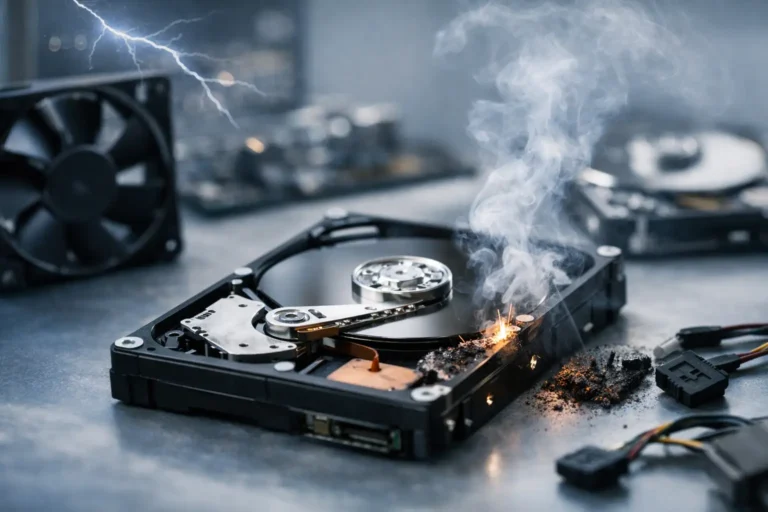
A hard drive usually does not fail at a convenient time. It fails the night before payroll, during finals week, or right when the family photos finally matter most. If you are asking what causes hard drive failure, the short answer is wear, heat, impact, power problems, and age – but the real answer depends on the type of drive, how it is used, and whether anyone caught the warning signs early.
For home users, a failing drive can mean lost documents, photos, and years of personal files. For a business, it can mean downtime, billing delays, missing customer data, and a very expensive interruption. That is why it helps to understand not just the cause, but the patterns that lead to failure and the steps that reduce the risk.
What Causes Hard Drive Failure Most Often?
Traditional hard disk drives, or HDDs, have moving parts. Inside, spinning platters store data while read/write heads hover just above the surface. That design gives you a lot of storage for the money, but it also creates more ways for hardware to wear out. Bearings age, motors weaken, heads can misalign, and platters can become damaged.
Solid-state drives, or SSDs, do not have moving parts, so they are usually less vulnerable to drops and vibration. But they are not immune to failure. SSDs can fail because of power issues, controller problems, firmware corruption, overheating, or memory cells wearing out over time.
So when people ask what causes hard drive failure, there is not one single culprit. There are several, and each one affects HDDs and SSDs a little differently.
Physical Damage and Everyday Wear
With HDDs, physical shock is one of the most common causes. A laptop gets bumped while it is running, a desktop gets moved carelessly, or a portable drive slips off a desk. Even one drop can cause a head crash, where the read/write head touches the platter and damages the surface.
Wear also matters. Hard drives are mechanical devices, and mechanical devices age. If a drive has been running for years, especially in a system that stays on around the clock, parts eventually begin to degrade. That does not mean every older drive is about to fail, but the odds go up with time.
SSDs handle movement better, but they still wear out. Each memory cell can only be written to a certain number of times. Most modern SSDs manage this well, and many last for years under normal use. Still, heavy write activity such as video editing, database work, or constant surveillance recording can shorten lifespan.
Heat Is Hard on Any Drive
Heat is one of the quietest causes of drive failure because it builds in the background. Poor airflow, dust-clogged fans, and systems running in hot rooms all put extra stress on storage devices.
An HDD running hot may see faster wear on internal components. An SSD running hot may throttle performance, become unstable, or suffer long-term damage to its controller and memory chips. In Arizona, where ambient temperatures can already be extreme, this matters even more. A computer in a garage, a poorly ventilated office, or a car for even a short period can be exposed to temperatures that push hardware past safe limits.
Heat alone may not destroy a drive overnight, but repeated exposure shortens the margin for error. It turns a healthy system into a fragile one.
Power Problems and Sudden Shutdowns
Drives like stable power. Surges, brownouts, failing power supplies, and abrupt shutdowns can all damage them.
With HDDs, sudden power loss can interrupt read/write operations and leave data in an inconsistent state. With SSDs, power issues can be even trickier because the controller manages how data is distributed across memory cells. An unexpected outage can corrupt the file system, damage firmware, or make the drive unreadable even if the physical chips are fine.
This is one reason business systems often benefit from surge protection, battery backup units, and properly maintained power supplies. It is not just about keeping the computer on. It is about preventing the kind of unstable power that quietly ruins components.
Firmware, File System, and Logical Failures
Not every drive failure starts with broken hardware. Sometimes the device itself is still physically intact, but the system cannot read it properly.
Firmware corruption can make a drive disappear from the computer entirely. File system damage can make folders inaccessible or cause the system to report that the drive must be formatted. Malware, improper ejection of external drives, and interrupted updates can all contribute to logical failure.
This is where things get confusing for users. The computer may act like the drive is dead, but the problem may actually be recoverable if handled correctly. The trade-off is timing. The more a damaged drive is restarted, scanned, or written to, the harder recovery can become.
Manufacturing Defects and Bad Luck
Some drives fail early because they were flawed from the start. Even reputable manufacturers occasionally release batches with higher-than-normal failure rates. A drive can pass initial setup and still develop problems weeks or months later.
That is frustrating, but it is normal in the sense that all hardware has some failure rate. Price alone does not eliminate risk. A premium drive may offer better endurance, warranty coverage, or performance, but no storage device should ever be treated as the only copy of important data.
Warning Signs You Should Not Ignore
Most failing drives give some kind of signal before they stop working completely. The problem is that these signs are easy to dismiss until it is too late.
A failing HDD may click, grind, buzz, or take much longer than usual to open files. You might see frequent freezing, corrupted documents, blue screens, or startup errors. If your computer suddenly cannot find the boot drive, that is another serious red flag.
An SSD usually fails more quietly. Instead of noise, you may notice files disappearing, read-only behavior, random error messages, or a system that crashes during normal tasks. In some cases, the drive is recognized one day and gone the next.
If a drive starts behaving strangely, stop treating it like a normal performance issue. Slow systems can come from many causes, but unusual drive behavior deserves immediate attention.
Why Backups Matter More Than Diagnosis
People often want a precise answer right away. Was it heat? Was it old age? Was it a power surge? Sometimes testing can identify the cause, and sometimes it cannot, especially after a complete failure.
What matters more is whether the data exists somewhere else. A perfect diagnosis does not restore family photos or business records. A current backup does.
For households, that may mean automatic cloud backup plus a local external drive. For businesses, it usually means layered protection: local image backups, cloud retention, tested recovery procedures, and monitoring that alerts someone before a minor issue becomes a major outage. Different environments need different strategies, but the principle is the same. If the data matters, one copy is not enough.
How to Reduce the Risk of Hard Drive Failure
You cannot prevent every hardware failure, but you can reduce the odds. Keep systems clean and well ventilated. Replace failing fans. Do not leave computers or external drives in extreme heat. Use surge protection and, where uptime matters, battery backup equipment.
Handle laptops and portable drives carefully, especially while they are powered on. Watch for SMART alerts, unusual noises, file corruption, and sudden slowdowns. If a drive is old and stores critical data, replacing it proactively is usually cheaper than emergency recovery.
It also helps to match the drive to the workload. An inexpensive consumer drive may be fine for light home use but a poor fit for a business server, editing workstation, or surveillance system. Storage decisions should reflect how much stress the drive will actually face.
When to Stop Troubleshooting and Get Help
If the drive is clicking, not mounting, overheating, or causing repeated crashes, do not keep forcing it to run. Every extra attempt can make damage worse. That is especially true when important business files, accounting records, or irreplaceable personal data are involved.
A professional can help determine whether the issue is physical, electrical, or logical and whether recovery is still possible. For local customers, this is where an experienced team like Freelance Computers can make a real difference – not just by diagnosing the problem, but by helping you protect what matters before the next device fails.
Hard drives fail for ordinary reasons: age, heat, impact, unstable power, and simple bad luck. The better question is whether you are prepared when one does. A little prevention now is a lot easier than trying to rebuild your life or business from a dead drive later.
