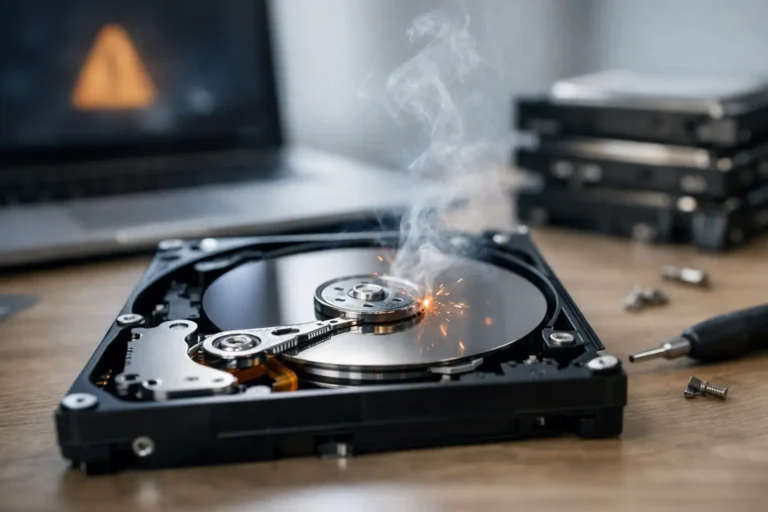
A computer that suddenly feels off usually gives some warning before a drive fully quits. Knowing the top signs hard drive failure is starting can mean the difference between a manageable repair and permanent data loss. Whether it is a family laptop, a home office desktop, or a business workstation, the earlier you catch the problem, the better your odds of saving both the machine and the files on it.
Hard drives rarely fail at a convenient time. For home users, that can mean lost photos, tax documents, or schoolwork. For a business, it can mean downtime, billing delays, and employees waiting on a machine that will not boot. The challenge is that drive failure does not always look dramatic at first. In many cases, it starts with small issues people brush off as normal aging or a one-time glitch.
Top signs hard drive failure may be happening
One of the clearest warning signs is unusual noise from a traditional hard disk drive. If you hear clicking, grinding, buzzing, or repeated spinning sounds from inside the computer, take that seriously. A healthy mechanical drive makes some normal operating noise, but sharp clicks or scraping sounds often point to internal wear. If the sound is new and persistent, powering the system down may be smarter than trying to use it normally.
Another common sign is noticeably slower performance, especially when opening files, launching programs, or starting the computer. Slow performance alone does not always mean a bad drive. It can also come from low memory, too many background apps, malware, or general system clutter. But if the slowdown comes with freezing, long boot times, or repeated file access problems, the storage drive moves much higher on the suspect list.
Frequent crashes are another red flag. If your computer locks up during routine tasks, reboots unexpectedly, or throws read and write errors, the drive may be struggling to access data reliably. Some users see the famous blue screen on Windows. Others notice that a Mac starts hanging when opening folders or saving documents. The exact symptom varies, but the pattern is the same – the system becomes unstable because the drive cannot keep up.
Missing or corrupted files should always get your attention. If documents will not open, photos suddenly appear damaged, or folders disappear without explanation, that is not something to ignore. File corruption can come from software issues too, but when it happens repeatedly, a failing drive is a strong possibility. The risk here is simple: what starts with one damaged file can turn into broad data loss if the drive continues to deteriorate.
Boot problems are often one of the top signs hard drive failure is close
A computer that struggles to start is often telling you something important. You might see messages saying the operating system cannot be found, the disk cannot be read, or repair tools are trying to fix startup problems over and over. Sometimes the machine eventually boots after several attempts. Sometimes it never gets past a black screen or spinning loading icon.
This is where timing matters. People often keep restarting, hoping the issue clears itself. That can work if the cause is a simple update problem, but if the drive is physically failing, repeated use can make recovery harder. A drive that still appears in the system today may become unreadable tomorrow.
Business users should be especially cautious here. A front-desk computer that takes fifteen minutes to start or a shared office system that randomly fails to boot is not just an inconvenience. It can interrupt operations, delay customer service, and create unnecessary stress for the whole team.
Warning messages and disk errors should not be ignored
Modern operating systems sometimes give direct warnings. You may see alerts that the disk has a problem, that a scan found bad sectors, or that S.M.A.R.T. monitoring detected a likely failure. Those messages exist for a reason. They are not perfect, and they do not catch every issue, but when they do appear, you should assume the drive needs immediate attention.
Bad sectors are especially concerning. A small number can sometimes be managed temporarily, but they often point to a drive that is wearing out. Think of it as a sign that parts of the storage surface or memory cells are no longer dependable. Once that pattern starts, it tends to get worse, not better.
External hard drives can show the same symptoms. If a portable drive disconnects randomly, asks to be repaired every time you plug it in, or suddenly becomes much slower than normal, do not keep using it as your only copy of important data. External drives are useful, but they are still vulnerable to age, impact damage, and electrical issues.
SSD failure looks different, but it still gives warnings
Not every storage problem involves a spinning hard disk. Many newer computers use solid-state drives, or SSDs, which are faster and have no moving parts. That means you usually will not hear clicking or grinding. Still, SSDs fail too, and they often do it with less obvious warning.
An SSD nearing failure may cause random freezes, files that refuse to save, startup errors, or the system switching into read-only behavior. In some cases, the computer works normally one day and then cannot detect the drive the next. That is one reason regular backup habits matter so much. SSDs are excellent for performance, but they are not immune to sudden failure.
For the average user, the key point is this: no noise does not mean no problem. If your machine becomes unstable, starts losing files, or repeatedly throws disk-related errors, the storage device still needs to be checked.
What to do if you notice hard drive failure symptoms
The first step is to stop treating the computer like nothing is wrong. If the system still works, back up your important files immediately. Focus on irreplaceable data first – documents, photos, accounting files, customer records, project folders, and anything you cannot easily recreate.
After that, limit unnecessary use. Continuing to install updates, move large files, or run heavy programs on a failing drive can increase the chances of a complete crash. If the drive is making unusual mechanical noise, it is usually best to shut the system down and avoid repeated startup attempts.
Diagnostics can help, but they are not always the full answer. Software tools may confirm bad sectors, S.M.A.R.T. errors, or file system damage. That information is useful, but it does not reverse physical wear. If the drive contains important data, the real decision is not whether to keep squeezing a few more weeks out of it. The decision is how to protect the data and replace the drive before the situation gets worse.
For home users, that may mean moving files to a backup device or cloud storage and scheduling service. For a small business, it may mean checking whether the affected machine is covered by a proper backup plan, replacing the drive promptly, and reviewing whether other aging systems need attention too. Problems like this are often isolated, but sometimes they expose a bigger issue with old hardware across the office.
When professional help makes sense
There is a difference between a slow computer and a computer with a failing drive. If you are not sure which one you are dealing with, an experienced technician can separate hardware failure from malware, memory issues, operating system corruption, or simple maintenance problems. That matters because guessing wrong can waste time and increase risk.
Professional help becomes especially important if the data matters more than the device. Family photos, legal files, QuickBooks data, work product, and medical or business records are often worth far more than the cost of a new drive. In those situations, trying a string of random fixes from the internet can make recovery harder.
For local users in Phoenix and the East Valley, this is the kind of issue where a fast, honest diagnosis matters. Freelance Computers has seen every version of it – the home laptop that starts clicking the day before a vacation, the office PC that refuses to boot on payroll morning, the external backup drive that turns out not to be as dependable as everyone assumed.
A failing hard drive does not always announce itself loudly. Sometimes it whispers first with a little lag, a missing file, or a startup error that seems easy to dismiss. Pay attention to those early signs, because acting sooner gives you more options and a much better chance of keeping what matters.
