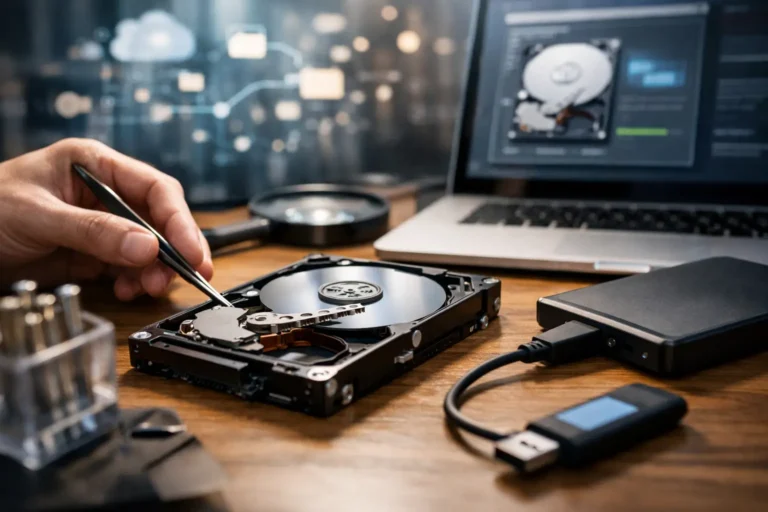
That moment when a drive stops showing up, a laptop won’t boot, or a folder full of family photos suddenly disappears is usually followed by one question: can the data still be saved? This data recovery process explained article is here to answer that in plain English. Whether you are dealing with a home computer, a business workstation, or an external drive that suddenly went quiet, the recovery path depends on what failed, what happened next, and how quickly the device was handled.
Most people assume data recovery is a single repair. It is not. Recovery is really a sequence of careful decisions made to preserve what is left, identify the type of failure, and use the right method to extract files without making the damage worse. The details matter, because the wrong first step can turn a recoverable problem into a permanent loss.
What the data recovery process explained really means
At its core, data recovery is the effort to retrieve inaccessible, deleted, corrupted, or lost files from a storage device. That device could be a traditional hard drive, a solid-state drive, a USB flash drive, an SD card, a phone, or even a server volume.
The first thing to understand is that not all data loss is the same. If someone deletes files by mistake, the drive may still be physically healthy. If a hard drive starts clicking, the issue may be mechanical. If ransomware encrypts a business share, the files may still exist but be unusable without cleanup and restoration. Each situation calls for a different approach, and good recovery work starts with identifying which category the failure fits into.
The first stage is damage control
The best recovery work often begins with what does not happen. A failing drive should not be repeatedly rebooted, scanned with random software, or opened at home. A device that is making unusual sounds should be powered down. A computer hit by malware should be isolated. A business server showing storage errors should not keep running heavy workloads if avoidable.
Why the urgency? Because every extra write, reboot, or failed attempt can overwrite usable data or push damaged hardware further downhill. On a healthy system, a restart is routine. On a failing storage device, it can be the step that changes the odds.
For home users, that usually means stopping use immediately and resisting the temptation to “see if it comes back.” For businesses, it means preserving the system state, documenting symptoms, and avoiding unplanned troubleshooting that may complicate both recovery and root-cause analysis.
Assessment comes before recovery
Before anyone pulls files, there should be an evaluation. This is where a technician figures out what kind of failure occurred and whether the safest path is logical recovery, hardware-level recovery, or a restore from backup.
Logical failures are the most straightforward. These include accidental deletion, formatting mistakes, corrupted file systems, partition damage, or software-related issues. In these cases, the hardware may still function well enough to create an image of the drive and recover data from that image.
Physical failures are more serious. A hard drive with bad heads, seized motors, damaged platters, or electronic board issues may not be safe to run normally. With SSDs, physical problems can involve controller failure, degraded memory cells, or sudden unreadability. Recovery is still possible in some cases, but the methods are more specialized and success rates vary.
Then there is the middle ground. Sometimes the device works inconsistently. It may show up only sometimes, transfer data slowly, or freeze during access. These cases require caution because the drive may still respond, but not reliably.
Imaging the drive is often the real turning point
One of the most important parts of the data recovery process explained for non-technical users is this: professionals usually try to recover from a copy, not the original. That copy is called an image.
Imaging means making a sector-by-sector duplicate of the storage device, capturing as much readable data as possible while minimizing stress on the original hardware. If the drive is unstable, specialized tools can skip damaged areas, come back to them later, and prioritize easier-to-read sectors first.
This step matters because it preserves the current state of the data. Once there is a working image, recovery efforts can continue without repeatedly touching the failing device. That protects both the client’s files and the recovery process itself.
If the drive cannot be imaged because the hardware is too damaged, the next step may involve hardware intervention. With traditional hard drives, that can mean replacing failed parts in a controlled environment. With SSDs, options depend heavily on the controller design, encryption, and the extent of electronic failure.
File recovery is not always all or nothing
After imaging, the work shifts to reconstruction and extraction. This is where software tools and technician experience come together to identify partitions, rebuild file systems, locate deleted entries, and carve out files based on known signatures.
Some recoveries are clean. Folder structures appear intact, filenames are preserved, and documents open normally. Others are partial. You may get the files back, but not every filename, folder path, or timestamp. In severe cases, some files return corrupted or incomplete because parts of the original data were already overwritten or physically unreadable.
That is one reason honest expectations matter. Good recovery service is not about making promises no one can control. It is about clearly explaining what is likely, what is uncertain, and where the risks are.
Why SSDs changed the recovery conversation
Many people assume SSDs are easier to recover because they have no moving parts. In everyday use, they are often faster and more reliable than old hard drives. But recovery can actually be trickier.
Features like TRIM and garbage collection help SSD performance, but they can permanently clear deleted data more quickly than a traditional hard drive would. If files were deleted and the system stayed in use, the recovery window may be short. On the other hand, an SSD that fails electronically may stop without warning, leaving little time to respond.
This does not mean SSD recovery is hopeless. It means timing, device behavior, and the exact failure mode matter more than many users expect.
Backups and recovery are related, but not the same
For businesses especially, one of the most common misunderstandings is treating backup and data recovery as interchangeable. They support each other, but they solve different problems.
Backup is the safety net you plan ahead of time. Data recovery is what you attempt after something goes wrong and the safety net is missing, incomplete, or also affected. If a business has current, tested backups, restoring data may be faster and less expensive than deep recovery work. If the backup failed silently, was never configured correctly, or was encrypted during an attack, recovery may still be necessary.
For home users, the same principle applies. If those photos were synced somewhere reliable, the situation may be simple. If they only existed on one aging external drive, the process becomes more delicate.
When DIY recovery makes sense and when it does not
There are cases where do-it-yourself recovery is reasonable. If a healthy drive had a simple accidental deletion and there are no signs of hardware trouble, recovery software may help if used carefully and from another system. The key is not writing new data to the affected drive.
But DIY stops making sense when the device clicks, disappears from BIOS, smells burnt, asks to be reformatted unexpectedly, runs painfully slow, or contains business-critical data that cannot be risked. At that point, repeated attempts usually cost more in lost recoverability than they save in service fees.
That is especially true for businesses where downtime, client records, accounting files, or line-of-business systems are involved. The value of the data usually exceeds the value of the hardware by a wide margin.
What affects the chances of success
Recovery outcomes depend on several factors: the type of device, the kind of failure, how long the issue has been going on, whether the data has been overwritten, and what actions were taken after the loss.
A deleted file on a lightly used hard drive may be very recoverable. A drive that has been dropped, then powered on repeatedly, is a different story. A ransomware event on a network may be recoverable from snapshots or backups. A failing SSD with heavy wear and no usable controller response may offer fewer options.
This is why experienced technicians avoid blanket statements. Recovery is not guesswork, but it is rarely one-size-fits-all either.
The best next step is often the calmest one
If you lose data, the smartest move is usually the least dramatic: stop using the device, avoid quick-fix software unless the situation is clearly simple, and get the problem assessed before more damage is done. That approach gives you the best chance of saving files, reducing downtime, and avoiding unnecessary cost.
For households and businesses across Phoenix and the East Valley, the goal is not just getting data back. It is getting clear answers, careful handling, and support from real people who understand what that data means to your life or your operation. When the response is measured and experienced, the recovery process feels a lot less like panic and a lot more like a plan.
