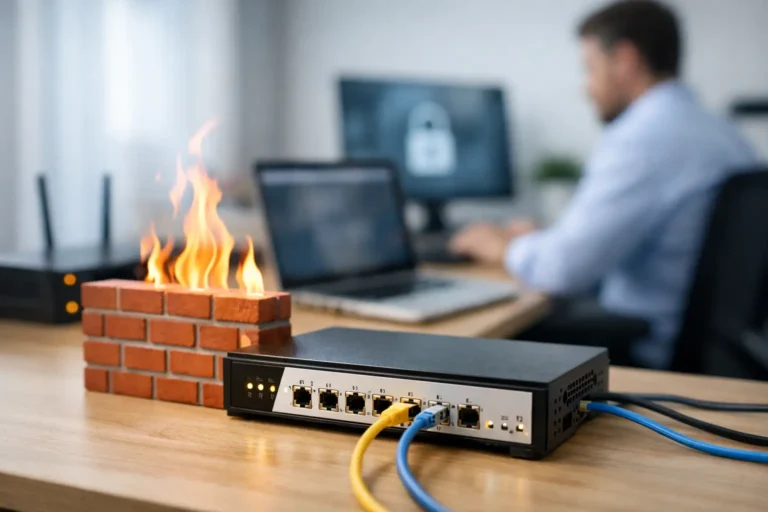
A firewall is not just another box in the network closet. It is the point where your office decides what is allowed in, what is allowed out, and how quickly suspicious activity is stopped. For Phoenix and East Valley businesses handling customer records, cloud applications, remote staff, and payment information, choosing among the best business firewall options deserves more thought than selecting the lowest-priced appliance.
A consumer router may provide basic protection, but it is rarely designed for a growing office with multiple users, guest Wi-Fi, remote access, servers, cameras, and compliance concerns. The right business firewall gives your team reliable connectivity while helping prevent a single phishing click, exposed device, or unauthorized login from becoming a costly interruption.
What a Business Firewall Should Actually Do
A modern business firewall does much more than block unwanted internet traffic. It examines connections, applies security rules, segments important systems, and helps identify activity that does not belong on your network. Many systems also provide secure remote access, web filtering, intrusion prevention, malware scanning, reporting, and application controls.
That does not mean every office needs every feature switched on. Deep inspection and advanced scanning can affect performance, especially on an undersized appliance. The goal is to match protection to the way your business operates, then configure it correctly.
For a small office, the practical baseline usually includes a managed firewall with automatic firmware updates, secure remote access, separate networks for staff and guests, content and threat filtering, and alerts that a technician can act on. If your staff uses cloud software heavily, your firewall also needs enough capacity to inspect traffic without turning normal work into a slow, frustrating experience.
Best Business Firewall Options by Business Need
There is no single firewall that fits every organization. The best choice depends on your internet speed, employee count, remote-work needs, number of locations, existing network equipment, and the support available after installation.
Fortinet FortiGate for Strong Security and Flexibility
Fortinet FortiGate appliances are a common choice for small and midsize businesses that need serious security controls without moving into a large-enterprise deployment. They offer strong firewall performance, VPN connectivity, network segmentation, web filtering, and advanced threat protection across a wide range of appliance sizes.
FortiGate can be an excellent fit for offices with servers, multiple departments, compliance requirements, or several locations. It is also flexible enough to grow with the company. The trade-off is that its feature set can become complex. A poorly configured firewall is not made safer by having more options, so experienced setup and ongoing review matter.
SonicWall for Established Small and Midsize Offices
SonicWall is often a practical choice for organizations that want dependable perimeter security and a familiar management approach. Its firewall line supports secure VPN access, intrusion prevention, application controls, content filtering, and visibility into network traffic.
For a business with a traditional office environment – workstations, shared files, printers, phones, and a few remote employees – SonicWall can provide a solid balance of capability and cost. Licensing and renewal planning should be part of the purchase decision. Security services are tied to subscriptions, and letting them lapse can leave a working firewall with reduced protection.
Cisco Meraki for Cloud Management and Multi-Site Visibility
Cisco Meraki firewalls are designed around centralized cloud management. For an owner or office manager with more than one location, that can be a real advantage. A technician can review alerts, apply policy changes, and monitor network health across offices without needing to be physically present at each site.
Meraki works especially well when paired with Meraki switches and wireless access points, creating one managed network environment. It is a strong option for distributed teams, retail locations, clinics, and organizations that value simple administration. The main consideration is the ongoing licensing model. If predictable recurring costs are a concern, make sure those costs are clear before committing.
WatchGuard for Practical Security Controls
WatchGuard has long been a good fit for smaller organizations that want business-grade features and straightforward security policies. Its firewalls can provide multi-factor authentication support, VPN access, traffic inspection, and reporting without requiring a large in-house IT team.
This option is worth considering for offices that need to protect sensitive client information but do not need a highly customized network environment. As with any firewall, the appliance must be sized for real usage. A model that handles basic browsing for 10 people may struggle once video meetings, cloud backups, and security inspection are added.
Sophos Firewall for Businesses Using Sophos Endpoint Protection
Sophos is particularly appealing when a business already uses Sophos endpoint security on its computers. The firewall and endpoint tools can share information, which may help identify an infected device and apply a faster response.
That integration can be valuable for businesses that want coordinated protection across laptops, desktops, and the network edge. It is not automatically the right answer for every office, though. The value is greatest when the full security stack is planned and managed as a system, rather than added one product at a time.
Ubiquiti UniFi for Budget-Conscious, Simpler Networks
Ubiquiti UniFi gateways are popular with small offices that want capable networking, Wi-Fi management, and basic firewall controls at a lower entry cost. They can be a sensible option for a simple environment with modest security requirements and a technician available to manage it.
The limitation is not that UniFi equipment is unusable for business. It is that organizations needing advanced threat prevention, detailed compliance reporting, or more sophisticated security workflows may be better served by Fortinet, SonicWall, WatchGuard, Meraki, or Sophos. A lower purchase price can be appealing, but it should not come at the expense of the protections your business actually needs.
How to Compare the Best Business Firewall Options
Start with your real network, not the number printed on an internet-speed bill. Firewall performance ratings can look impressive until security services are enabled. Ask how much inspected throughput the appliance can handle with intrusion prevention, web filtering, malware protection, and VPN connections active.
Next, consider how employees work. A company with five people in one office has different needs than a 25-person business with home-based staff, cloud phone systems, security cameras, and a second location. Remote users may need a properly configured VPN or zero-trust access solution. Guest Wi-Fi should be isolated from business devices. Accounting, medical, or legal systems may need their own protected network segments.
Support is another factor that is easy to overlook. Someone needs to review alerts, apply firmware updates, verify backups, renew subscriptions, and respond when a remote user cannot connect. Buying a firewall is only the beginning. The ongoing management plan is what keeps it useful.
Before selecting a platform, ask these questions:
- How many employees, devices, and remote users will the firewall support over the next three years?
- What internet speeds do we have now, and are we likely to upgrade?
- Do we need separate networks for guests, employees, phones, cameras, or sensitive systems?
- Which security subscriptions are required, and what will renewals cost?
- Who will monitor updates, alerts, VPN access, and configuration changes?
Why Configuration Matters as Much as the Hardware
Even the best appliance cannot protect a network when default settings remain in place, unused services are exposed, or remote access is shared through a single password. Firewall setup should include a review of existing devices, internet connections, wireless access points, servers, cloud services, and user access requirements.
A properly managed installation usually separates guest traffic from business systems, restricts unnecessary outbound traffic, enables secure remote access, keeps firmware current, and documents the configuration. It should also work alongside endpoint protection, multi-factor authentication, reliable backups, and staff awareness training. Security is a set of connected practices, not a one-time equipment purchase.
For local businesses, having a real technician available can make a meaningful difference when an internet provider changes equipment, a new application needs special access, or an emergency occurs after normal business hours. Freelance Computers helps Phoenix and East Valley organizations evaluate, install, and manage network security around their actual operations, not a one-size-fits-all checklist.
Choose Protection That Can Keep Up
The right firewall should protect your business without creating daily friction for your staff. A smaller office may be well served by a carefully managed, cost-conscious platform, while a growing company may benefit from stronger inspection, better reporting, and centralized control from the start.
Choose the solution based on risk, growth plans, and the support behind it. When your network is designed by people who understand both the technology and your business, security becomes one less problem waiting to interrupt the workday.
