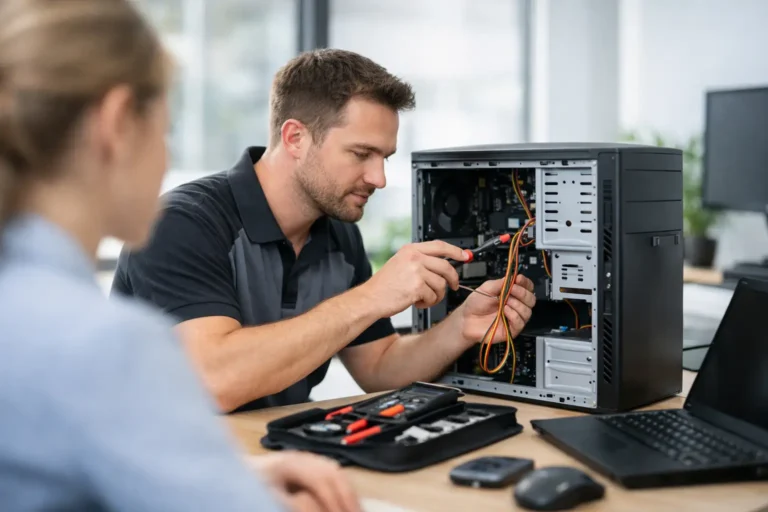
A laptop that will not boot is frustrating. A front desk PC that is down during business hours is expensive. That is where onsite computer repair service earns its value. Instead of unplugging equipment, loading it into a car, and hoping the problem can be reproduced somewhere else, a technician comes to you, sees the full setup, and works on the issue in the environment where it actually happens.
For many people, that convenience is the obvious benefit. The bigger advantage is accuracy. Computers rarely fail in isolation. A home office problem may involve the modem, router, printer, docking station, and a Windows update that changed settings overnight. In a business, one workstation issue can be tied to user permissions, the network, shared drives, or a misbehaving server. Fixing the computer without seeing the surrounding environment can miss the real cause.
What onsite computer repair service actually covers
A good onsite visit is not limited to one kind of fix. It can include hardware troubleshooting, software errors, malware cleanup, printer and network problems, email configuration, data access issues, slow performance, failed updates, and device setup. For businesses, it often extends to workstation support, shared resource troubleshooting, backup checks, and coordination with existing network equipment.
That range matters because most customers do not care whether the issue is technically a software problem, a hardware fault, or a network conflict. They want the computer working again. Onsite service is well suited to that reality because the technician can test the full chain instead of guessing.
For home users, this is especially helpful when the setup is hard to move. An all-in-one desktop, a gaming system with multiple peripherals, or a senior household computer connected to printers and specialty software can be much easier to repair in place. For business users, moving systems offsite may not even be practical if employees depend on them throughout the day.
When onsite computer repair service is the better option
Some problems are perfectly fine for a shop bench. Others are better handled on location.
If the issue depends on your environment, onsite is usually the smarter choice. Intermittent Wi-Fi drops, printer communication failures, smart device conflicts, office network slowdowns, and login or file-sharing problems often need to be seen where they occur. The same goes for workstation setups involving multiple monitors, docks, scanners, label printers, or point-of-sale hardware.
Speed is another factor. If you are a remote worker with one main machine, waiting several days for a shop repair may not be realistic. If you run a small office, every hour of downtime affects customers, staff productivity, and revenue. An onsite visit can shorten that gap, especially when the fix is configuration-based rather than a major component replacement.
There is also the data and privacy angle. Some customers are understandably uncomfortable removing a device that stores personal records, tax files, client information, or sensitive business documents. While reputable repair providers handle devices responsibly, many people still prefer service performed in their presence. That peace of mind is a legitimate reason to choose onsite support.
What a quality onsite visit should feel like
A reliable service call should be straightforward, not mysterious. You should know what the technician is coming to address, what the likely next steps are, and how pricing works before work begins. Clear communication matters as much as technical skill.
The best technicians start by listening. They ask what changed, when the problem started, whether there were updates, power events, new devices, or unusual behavior leading up to the failure. That context often saves time. It also shows respect for the customer, whether the customer is a homeowner trying to recover family photos or an office manager trying to keep the team operational.
From there, the visit should move toward diagnosis first, then repair. Sometimes the answer is simple. A failing power adapter, a disabled service, a corrupted driver, or a router misconfiguration can look dramatic and still be repaired quickly. Other times, the honest answer is that the computer needs bench work, replacement parts, or data recovery procedures that are safer to handle in a controlled setting.
That is one of the trade-offs worth mentioning. Onsite service is excellent for many issues, but not all repairs should be completed in the field. Motherboard-level work, liquid damage cleanup, and certain storage failures may require specialized equipment and more time than an onsite appointment allows. A trustworthy provider says that clearly instead of forcing a temporary fix.
Home users benefit differently than businesses
For households, onsite support is usually about reducing hassle and stress. Parents do not want to disconnect the family computer and lose access to school files or photos. Seniors often prefer in-home help because it is more comfortable, more personal, and easier than transporting equipment. Remote workers need fast answers when email, video calls, or VPN access suddenly fail.
Onsite help also makes sense for mixed-device homes. A technician can look at the laptop, the Wi-Fi, the printer, the tablet that will not connect, and the email setup that stopped syncing. That broader view is often more useful than addressing each issue separately.
Businesses gain something slightly different. They need continuity. A technician onsite can evaluate the workstation and the wider system around it, whether that means switch ports, shared folders, backups, user permissions, internet reliability, or how one failed device is affecting the rest of the office. That kind of support is less about one repair ticket and more about protecting operations.
For small and mid-sized companies, this is where a local partner becomes valuable. If the same provider can handle immediate issues and also support servers, networks, cybersecurity, and ongoing maintenance, the business is not starting from scratch every time something breaks. In the Phoenix and East Valley area, that continuity matters because response time matters.
How to tell if a provider is worth calling
Not every repair company delivers the same experience. Experience still counts in this field because troubleshooting is partly technical knowledge and partly pattern recognition. A technician who has seen thousands of real-world failures can usually narrow down causes faster and avoid unnecessary work.
Look for a provider that explains pricing plainly, supports multiple platforms, and is comfortable helping both everyday users and business environments. That range is a useful signal. A company that can handle Windows, Mac, and Linux systems, along with networks, printers, servers, and security issues, is less likely to get stuck when a problem crosses categories.
Responsiveness is another good test. If you call with an urgent issue, do you get a real answer about timing and next steps, or just vague promises? When technology is down, people do not need a script. They need real people who can assess the problem and give honest expectations.
This is one reason many local customers turn to established firms such as Freelance Computers. Long-term presence, certified technicians, emergency support, and a service model built for both homes and businesses tend to produce better outcomes than one-size-fits-all repair chains.
Onsite repair is not just about convenience
Convenience gets the attention, but context is the real value. Seeing the physical setup, the network, the connected devices, and the user’s workflow often leads to better answers. It can also reveal deeper issues before they turn into larger failures, such as bad backup habits, aging hardware, weak wireless coverage, or recurring malware risks.
That matters because a computer problem is rarely just a computer problem. It affects work, communication, schedules, customer service, and peace of mind. The best onsite service does more than restore function for the moment. It gives the customer a clearer path forward, whether that means a repair, an upgrade, a replacement plan, or ongoing support.
If your device problem is tied to your setup, your network, or your day-to-day workflow, having a technician come to you is often the smartest move. The right help should feel practical, honest, and reassuring – like someone solving the real problem instead of just moving the machine from one place to another.
When technology stops cooperating, the best next step is usually the one that gets answers where the problem actually lives.
