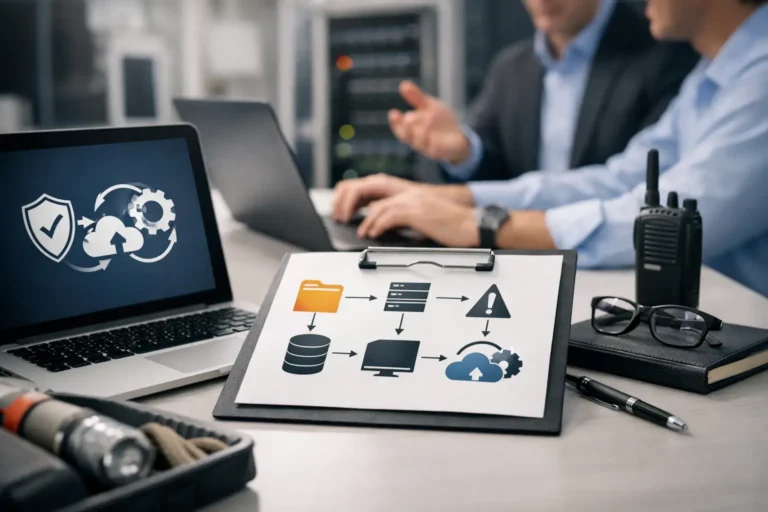
When a server goes down at 9:15 on a Monday, most businesses do not need a lecture on strategy. They need phones working, files accessible, staff productive, and customers reassured. That is why business continuity planning IT matters so much. It is not a binder on a shelf. It is the difference between a short disruption and a long, expensive mess.
For small and mid-sized businesses in Phoenix and the East Valley, the stakes are real. A line-of-business app stops responding, internet service fails, ransomware locks shared folders, or a power event damages a network switch. In each case, the question is the same: how fast can you keep operating, and how much can you afford to lose while systems are being restored?
What business continuity planning IT actually means
Business continuity planning IT is the process of preparing your technology environment so your business can continue operating during and after an interruption. That interruption could be a cyberattack, hardware failure, human error, internet outage, fire, monsoon-related power issue, or even something as ordinary as a failed software update.
A lot of business owners confuse continuity with backup. Backups are part of the picture, but they are not the whole plan. If your data is backed up but it takes three days to restore a critical server, your business still has a continuity problem. If your phones work but your staff cannot access customer records, you are still losing time and money.
A practical continuity plan answers a few simple but serious questions. Which systems matter most? How long can each one be down? What data can you afford to lose, if any? Who does what when something breaks? And what is the fallback if the primary fix is not available quickly?
Why small businesses are often the most exposed
Larger companies usually have dedicated IT staff, backup internet circuits, documented processes, and budgets for redundancy. Smaller companies often have one office manager wearing six hats, a server closet nobody wants to touch, and years of accumulated technology decisions that made sense at the time. That does not mean they are careless. It means they are busy.
The risk is not just dramatic events like ransomware. More often, it is smaller failures that stack up. An aging firewall drops remote workers. A single failed drive slows accounting to a halt. A Microsoft 365 account is compromised and nobody catches it until clients start receiving suspicious emails. These are business interruptions too.
That is where business continuity planning IT becomes less about enterprise theory and more about protecting day-to-day operations. For many organizations, the goal is not perfect uptime. It is realistic resilience at a cost that makes sense.
The systems you cannot afford to ignore
Every business depends on a different mix of tools, but a few categories almost always belong at the center of the plan. Email and communication platforms affect customer response times. File storage and shared drives affect team productivity. Internet connectivity affects nearly everything. Line-of-business applications, phones, printers, Wi-Fi, workstations, and user accounts all have a role too.
The mistake is treating every system as equally urgent. They are not. If your front desk cannot answer phones for an hour, that may be manageable. If your scheduling platform is down all day, that may stop revenue. If accounting loses access to data for two days at month-end, the impact may spread well beyond IT.
A good plan prioritizes systems based on operational impact, not just technical importance. This is where experienced IT guidance pays off. Business owners know which functions keep the company moving. Technicians know what it takes to support those functions under pressure. You need both perspectives.
Recovery goals matter more than good intentions
Most continuity planning comes down to two targets. The first is how quickly you need a system back. The second is how much data loss is acceptable. Some businesses can tolerate a few hours of downtime for a secondary system. Others cannot afford more than a few minutes without access to orders, scheduling, or customer data.
These targets shape everything else. They determine whether you need simple file backups, image-based backups, cloud replication, spare hardware, or a more advanced failover setup. They also expose trade-offs. Faster recovery usually costs more. More frequent backups reduce data loss, but they require tighter monitoring and better storage strategy.
There is no one-size-fits-all answer. A law office, medical practice, warehouse, contractor, and retail business all have different tolerance levels. The right plan is the one that matches your actual operations, not a generic checklist downloaded from the internet.
How to build a business continuity planning IT process that works
The first step is a clear inventory. You need to know what you have before you can protect it. That includes computers, servers, firewalls, switches, cloud services, user accounts, software platforms, backup systems, and vendor dependencies. If a critical device fails and nobody knows its configuration or warranty status, recovery slows down immediately.
Next comes prioritization. Identify the systems that directly affect revenue, customer service, compliance, and internal operations. Then assign realistic recovery expectations. This is where many businesses discover that their current setup does not match their needs. They may expect near-immediate recovery from a backup system that was only designed for basic file restoration.
After that, document response procedures in plain English. If internet service fails, who calls the provider? If a workstation is infected, who isolates it? If a server fails, what gets restored first? If key staff are unavailable, who has access to passwords, vendor contacts, and backup consoles? Documentation is not glamorous, but during an outage, clarity saves time.
Then test the plan. This is the part companies skip most often. A backup that has never been restored is a hope, not a plan. A generator that has never been used under load is an assumption. User access to a cloud failover environment should be verified before an emergency, not during one.
Finally, review the plan regularly. Technology changes. People leave. New software gets added. Offices move. Internet providers change equipment. A continuity plan should be updated as the business evolves.
Backups are essential, but they are only one layer
A healthy backup strategy is still the backbone of continuity. That usually means automated backups, offsite or cloud copies, retention policies, monitored job success, and routine restore testing. It may also mean protecting Microsoft 365 or Google Workspace data separately, since many businesses assume cloud platforms cover everything automatically. They often do not provide the kind of recovery options a business expects.
But continuity also depends on prevention and response. Endpoint protection, patch management, secure remote access, email filtering, strong password policies, and multifactor authentication all reduce the odds of an incident becoming a crisis. Hardware lifecycle planning matters too. Replacing an aging server on schedule is often cheaper than dealing with emergency downtime and recovery labor after it fails.
That is why the strongest plans combine proactive maintenance with recovery readiness. You want fewer emergencies, not just better cleanup.
Local realities shape the plan
Businesses in Arizona face their own mix of risks. Summer heat can stress equipment and power infrastructure. Monsoon storms can create sudden outages. Construction accidents can affect internet service. Remote and hybrid work can add complexity if staff need to connect securely from multiple locations across the Valley.
A local IT partner understands those practical details. They know that continuity planning is not just about a server room. It is about how your office, team, vendors, and customers actually operate in real conditions. For many companies, that local support is the difference between waiting on hold with a national help desk and getting a real person who already understands the environment.
When to get outside help
If your business has never tested backups, has undocumented systems, relies heavily on one person for technical knowledge, or is unsure how long recovery would really take, it is time to take continuity planning seriously. The same is true if you have grown quickly, moved to hybrid work, added cloud platforms, or experienced repeated outages.
You do not need a huge IT department to get this right. You do need a practical plan, honest assessment, and consistent follow-through. That may come from internal staff, a managed IT provider, or a combination of both. What matters is accountability.
For many East Valley businesses, working with an experienced local team like Freelance Computers makes that process far more manageable. Instead of guessing which risks matter most, you get real people who can assess the environment, tighten the weak spots, and help build a continuity plan around your actual business.
Downtime rarely arrives at a convenient moment. The businesses that recover best are usually the ones that decided ahead of time that staying operational was worth planning for.
