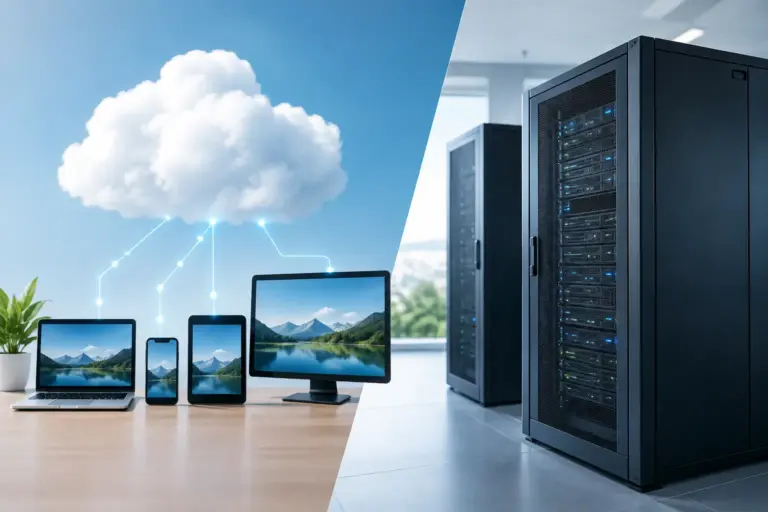
A server decision can show up at the worst possible moment: when an employee cannot open a customer file, the accounting system is unavailable, or a storm, power issue, or hardware failure takes an office offline. The cloud server versus local server question is not just about where files live. It affects your daily workflow, cybersecurity, recovery options, monthly costs, and how quickly your team can get back to work when something goes wrong.
For Phoenix and East Valley businesses, the right answer is rarely a one-size-fits-all choice. Some organizations need the control and speed of an on-site server. Others benefit from cloud access that supports remote staff, multiple locations, and predictable growth. Many need a carefully managed combination of both.
Cloud Server Versus Local Server: The Core Difference
A local server is physical hardware located at your office or another site you control. It may run shared files, line-of-business software, user accounts, databases, backups, or network services. Your business owns or leases the equipment, and someone must maintain it.
A cloud server runs in a provider’s data center and is accessed through the internet. Instead of buying a physical machine and keeping it in a server closet, you pay for computing resources, storage, and services hosted elsewhere. Depending on the setup, employees can reach approved applications and data from the office, home, or while traveling.
Both can be secure, reliable, and effective. The difference is responsibility. With a local server, your business has more direct control over the hardware and its environment. With a cloud server, the provider manages the underlying data center infrastructure, while your IT team still needs to manage access, security settings, data protection, and the applications your employees use.
When a Local Server Makes Sense
A local server can be the better fit when your office depends on large files, specialized applications, or equipment that performs best on a fast local network. Architecture firms, video production teams, medical offices, manufacturing environments, and businesses with older line-of-business software may have good reasons to keep certain services on site.
Speed inside the office is a major advantage. Employees can often work with files and applications quickly without relying on an internet connection for every task. If your internet service experiences an outage, local systems may remain available within the office, depending on how they are configured.
Local servers also offer direct control. Your organization decides the hardware specifications, storage capacity, operating system, upgrade schedule, and physical access policies. That control is valuable for businesses with strict software requirements or internal processes that are difficult to move.
The trade-off is ownership. Servers need cooling, power protection, monitoring, software updates, security hardening, replacement parts, and tested backups. Hardware does not last forever. A server that seemed affordable at purchase can become expensive when aging drives fail, warranties expire, storage runs low, or an unsupported operating system creates a security risk.
A local server is not automatically safer because it is in your building. Without strong passwords, multi-factor authentication, patch management, endpoint protection, off-site backups, and restricted access, an on-site server can still be exposed to ransomware, theft, fire, power damage, and human error.
When a Cloud Server Is the Better Choice
Cloud servers are often a strong choice for businesses that need flexibility. If your employees work from home, visit job sites, serve customers from multiple offices, or travel regularly, cloud-hosted applications can provide secure access without requiring everyone to connect directly to an office server.
Scalability is another advantage. A growing business may be able to add storage, processing power, users, or services without purchasing a new physical server. This can make budgeting easier, particularly when technology needs change faster than hardware replacement cycles.
Cloud infrastructure can also improve resilience when it is designed correctly. Professional data centers typically include redundant power, cooling, networking, and hardware systems. If a local office has a building issue, employees may still be able to work from another location if their applications and files are cloud-based.
However, cloud services are not a set-it-and-forget-it solution. Monthly costs can increase as storage, users, backups, or performance demands grow. Internet reliability matters, especially for cloud desktops, large file transfers, and real-time applications. Businesses should also understand where their data is stored, how it is backed up, what happens if a service is interrupted, and how they would move data if they changed providers.
Security remains a shared responsibility. The cloud provider may protect the physical data center, but your business is still responsible for user accounts, permissions, phishing awareness, device security, and proper configuration. A poorly secured cloud account can be just as damaging as a poorly secured local network.
Cost: Upfront Purchase or Ongoing Service
The cost difference is often easy to oversimplify. A local server usually requires a larger upfront investment for the hardware, operating system licenses, installation, backup equipment, battery backup, and configuration. Then come ongoing costs for maintenance, repairs, replacements, and IT support.
A cloud server usually shifts more costs into a recurring monthly expense. This can reduce the initial investment and make spending more predictable, but the long-term total depends on your number of users, storage needs, computing requirements, software licensing, and support level.
The right comparison is not simply server purchase price versus monthly cloud bill. Consider downtime, backup needs, cybersecurity tools, internet upgrades, support response time, compliance requirements, and the cost of an employee being unable to work. The least expensive option on paper is not always the least expensive when an outage disrupts customers and revenue.
The Case for a Hybrid Server Setup
For many small and mid-sized businesses, the best answer is not cloud or local. It is both.
A hybrid setup might keep a specialized application or high-volume file storage on a local server while moving email, collaboration tools, remote access, and off-site backups to the cloud. Another business may use cloud services for daily work while maintaining a local backup device for faster recovery of critical data.
This approach can reduce risk without forcing an all-at-once migration. It also gives businesses room to modernize at a practical pace. The key is having a clear plan for which data lives where, who can access it, how it is protected, and how operations continue during an internet outage or hardware failure.
Questions to Ask Before You Decide
Before choosing a platform, look at how your team actually works instead of focusing only on technology trends. Consider whether staff need remote access, whether your applications are cloud-compatible, how much data you store, and how quickly that data must be restored after an incident.
You should also ask who will maintain the environment. A server needs attention before it fails, not just after. That includes updates, account reviews, backup testing, security monitoring, capacity planning, and documentation. If there is no internal IT department, a managed IT partner can provide the consistency and response time that keeps small issues from becoming expensive emergencies.
Freelance Computers helps businesses across Phoenix, Mesa, and the East Valley assess existing networks, manage servers, strengthen backup and security practices, and build technology plans around real business needs. The goal is not to sell a particular platform. It is to give your team dependable access to the systems they need, with experienced local support when it matters.
The best server choice is the one your business can maintain, secure, recover, and afford without placing daily operations at risk. Start with your people, your applications, and your recovery needs, then build the technology around them.
